
Access control hardware
Door access that runs on your bookings.
A door-access device for booking- and schedule-based entry. Members tap a card, guests enter a reservation code; it drives the lock directly and integrates with your booking system — and keeps working through power and network cuts, backed by a custom UPS add-on.
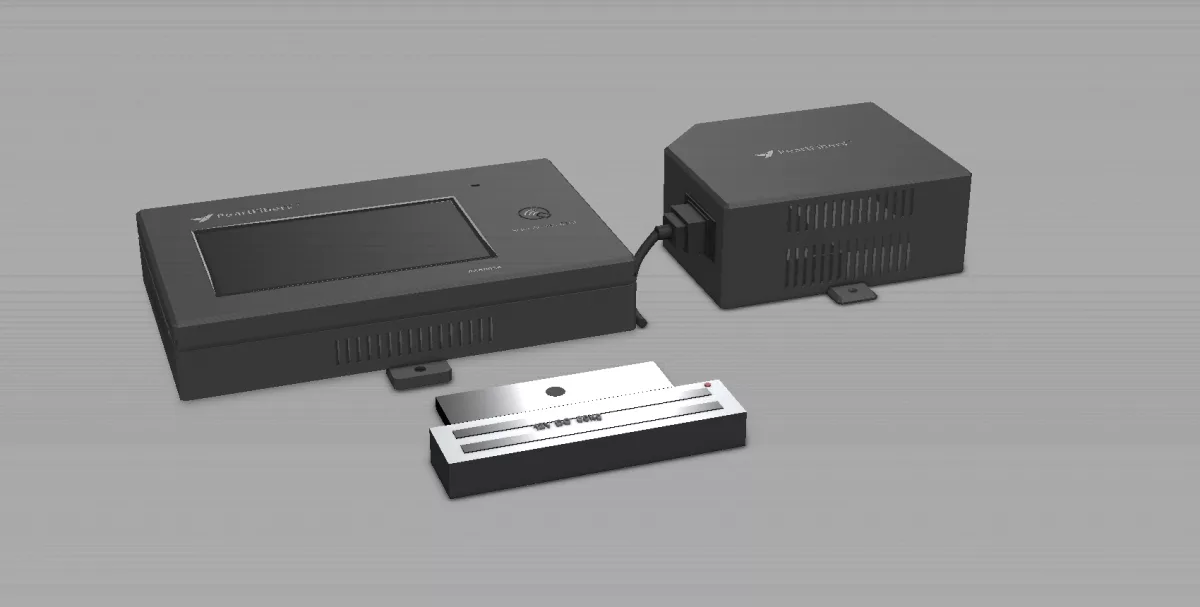
What PearlAccess does
One device that reads a card or a code, drives the lock, integrates with your system, and keeps running when the power and network don't.
Card and screen
Members tap an RFID card; guests type the reservation code from their booking on the screen. Every entry is logged — who entered, when, and on which booking — with no shared master codes.
- ✓ RFID cards for members
- ✓ On-screen reservation codes for guests
- ✓ Full entry log, reconciled to the booking system
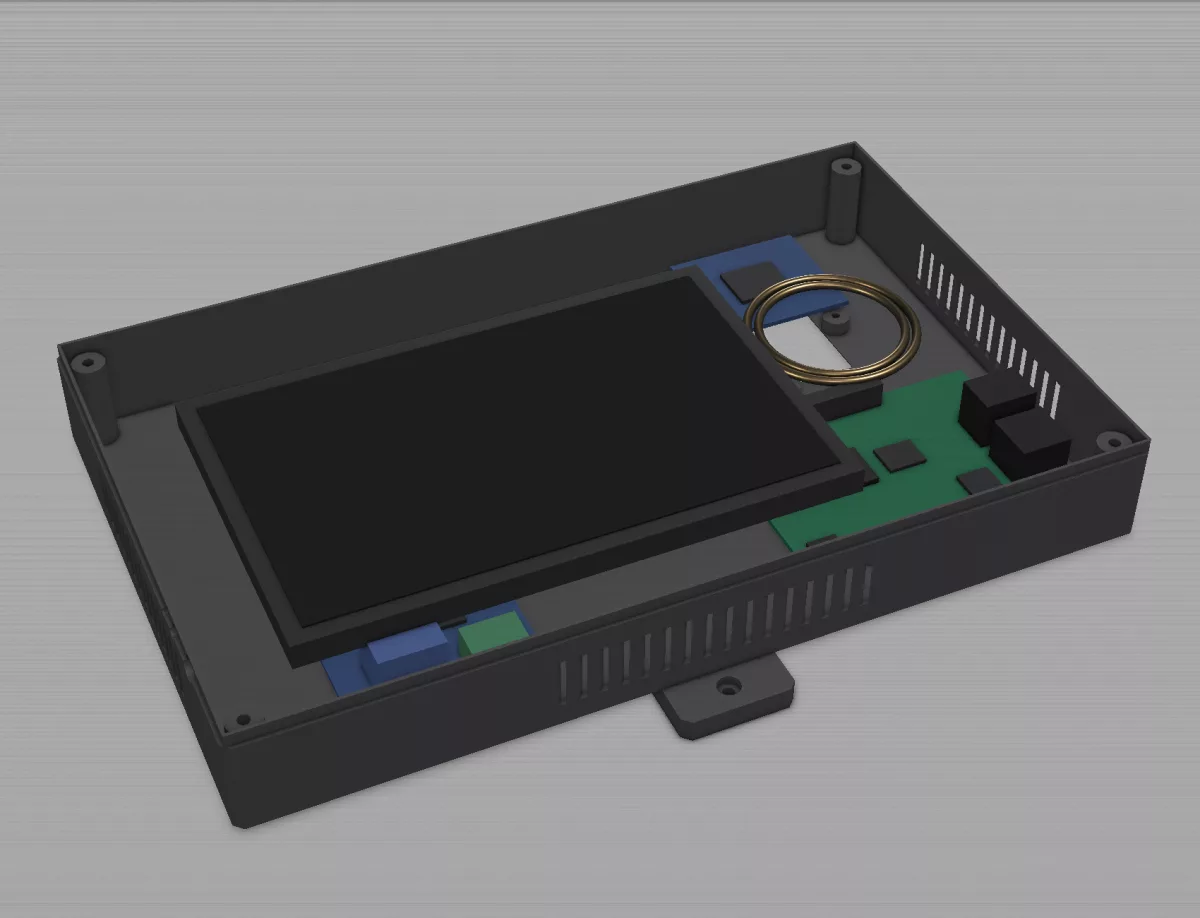
Drives the lock directly
A smart, adjustable DC mechanical relay drives the magnetic lock directly, sized to the door — no separate controller box. It runs on a custom control board with 12 GB of RAM in a case built for the device.
- ✓ Smart, adjustable DC mechanical relay
- ✓ Drives the magnetic lock directly
- ✓ Custom control board, 12 GB RAM, custom case
Integrates with your system
The on-device software is customisable per use case and integrates directly with your booking or management system, so the door enforces your reservations rather than a static access list.
- ✓ Custom on-device software, tailored per use case
- ✓ Integrates with your reservation or management API
- ✓ The device enforces your bookings, not a static list
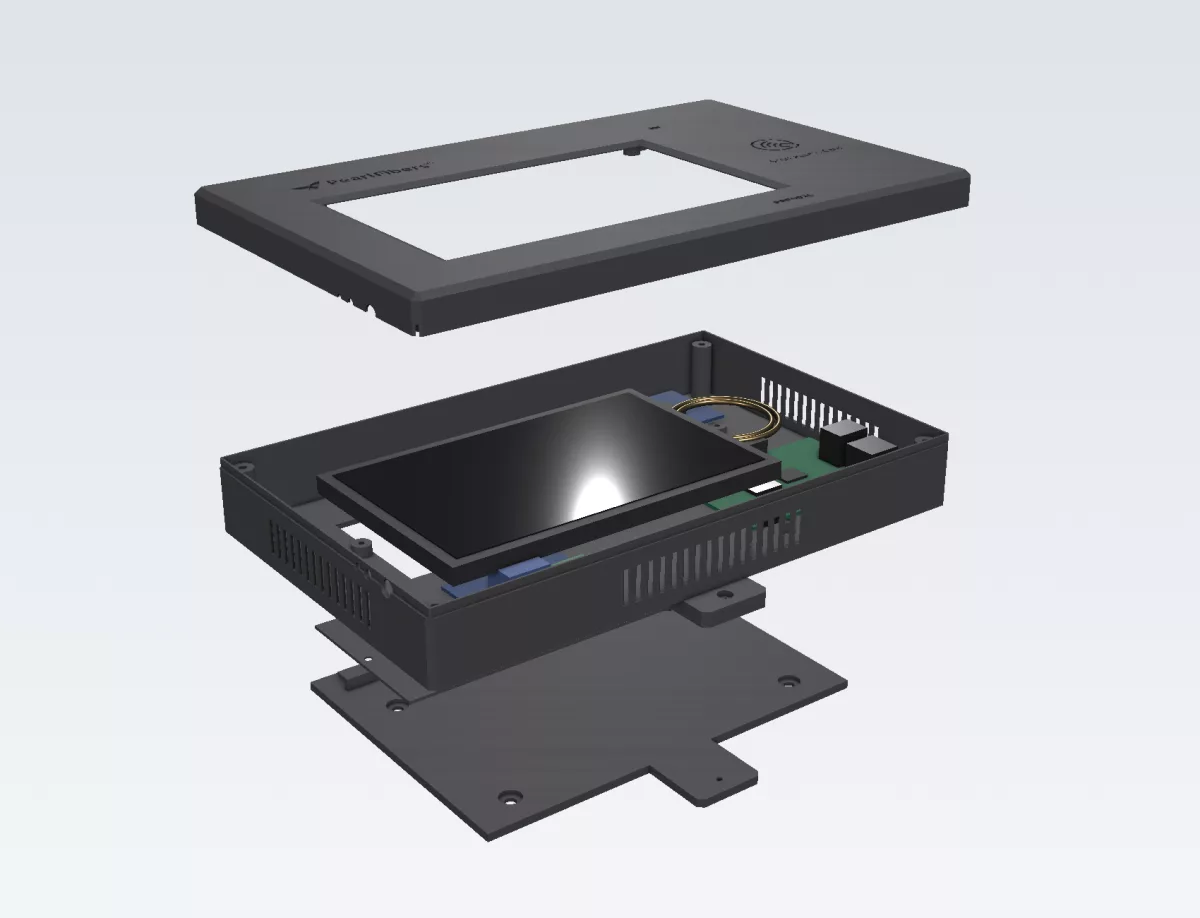
Works through outages
Every open/deny decision is made on the device against a synced cache, so a network drop never locks out a paid booking. For power cuts, a separate custom UPS add-on — 14.8 V / 2200 mAh, a 5 V/5 A output for the device and an adjustable output for the lock — keeps the whole door running. And it is built as a fleet: one-time pairing, over-the-air updates, white-labeled to your brand.
- ✓ Local open/deny decisions against a synced cache
- ✓ Separate custom UPS add-on: 14.8 V, powers device + lock
- ✓ Fleet-ready: one-time pairing, OTA updates, white-label
Who PearlAccess is for
Anywhere a door should follow a booking or a schedule instead of a key.
Serviced offices & coworking
Meeting rooms billed by reservation — the door enforces the calendar, entry disputes end. This is the first deployment.
Buildings with booking systems
Clinics, studios, training rooms, sports facilities — if it's reservable, PearlAccess can hold the door to it and integrate with the system you already run.
Sites where power and network fail
Where connectivity or electricity can't be assumed — the device decides locally and the UPS add-on keeps it powered.
Scoped per deployment
PearlAccess ships as a deployment, not a box: devices, the optional UPS add-on, installation, integration with your booking backend, and an operate plan for monitoring, support and updates. Every site is scoped in writing — device count, doors, integration effort — before any commitment.
- ✓ Written scope and fixed deployment price
- ✓ Integration with your reservation or management system
- ✓ Operate plan: monitoring, OTA updates, support
White-label and multi-branch fleets supported — the first fleet spans six branches.
Questions, answered
What makes PearlAccess different?
It combines a card and a screen in one device, drives the magnetic lock directly through a smart relay, and integrates with your booking system so the door enforces real reservations. It also keeps deciding locally through outages, with a custom UPS add-on for power cuts.
Does it work with our existing booking system?
That's the integration step of the deployment: the device speaks to a backend API for sync and events, and we build the bridge to your reservation system — the same way it was integrated into Business Avenue's management platform.
What happens when the internet or power goes down?
Nothing, at the door. Decisions come from the local cache and entries keep logging, reconciling when the connection returns. A power cut is covered by the separate UPS add-on, which powers both the device and the lock.
Who maintains the devices after installation?
We do, under the operate plan: monitoring, over-the-air updates, support through your client portal — the same operational model as everything else PearlFibers runs.
Put a PearlAccess on the door.
Tell us about the site — doors, bookings, network and power reality — and you'll get a written deployment scope with a price on it.